Flux 3 Image and Klein: Black Forest Labs ships its next generation of image models
Black Forest Labs released Flux 3 Image, a model that edits a picture without touching the rest of it, and Klein, a small open-weights sibling that renders in a few seconds. Here is what they do, where they still trail the competition and what they cost on ChatPlus, where both are already live.
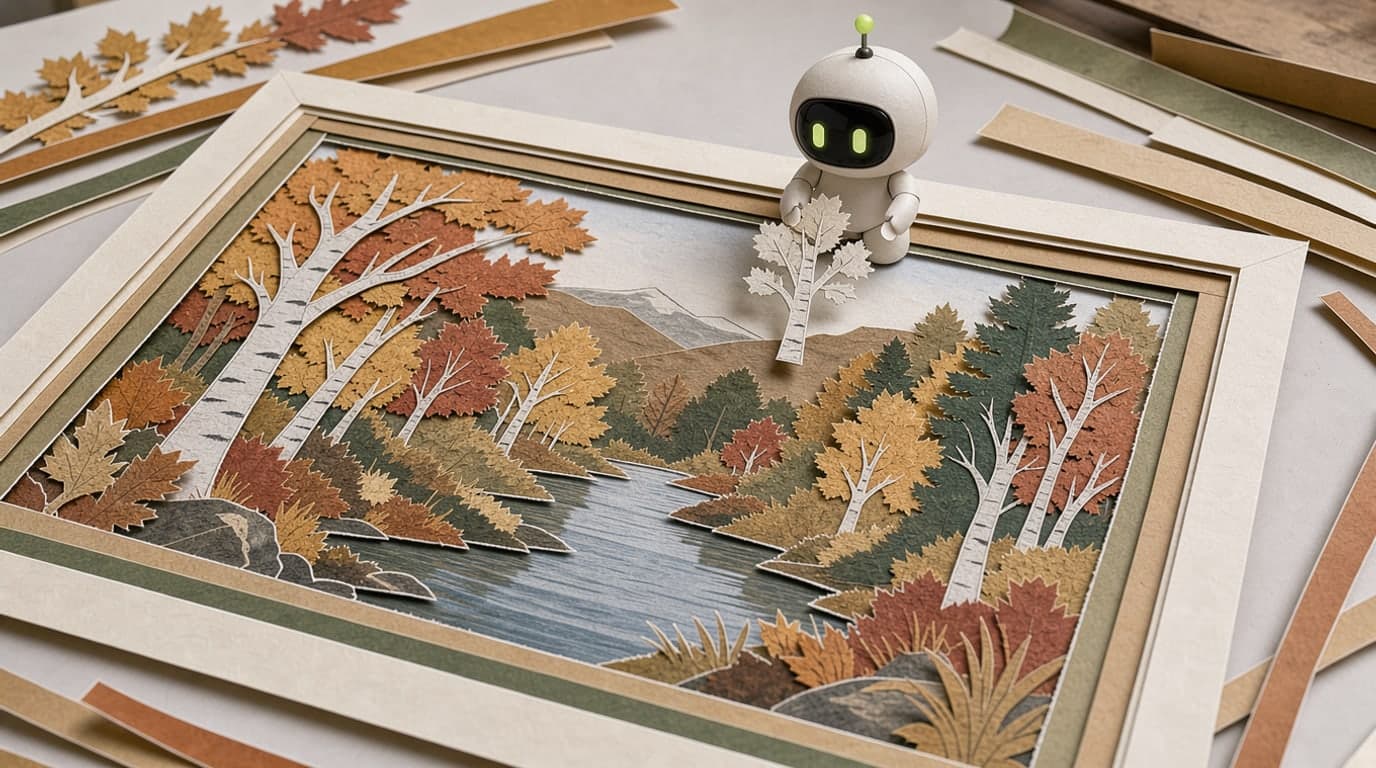
Image models have an old habit: ask them to fix one detail and they quietly redraw the whole frame. Change the colour of a jacket and the face comes out slightly different. Remove a cup from the table and a book you never asked for appears on the shelf. Black Forest Labs built its new generation of models around the promise that this stops.
Flux 3 Image, the flagship, came out on October 1. On October 15 it was joined by Flux 3 Image Klein, a smaller version of the same model that you can download and run on your own graphics card. Both now work on ChatPlus. Here is what they can do, where they still fall short and when to pick which.
Who Black Forest Labs are
Black Forest Labs is a German lab based in Freiburg. It was founded in 2024 by the researchers who had previously built Stable Diffusion, the model that kicked off mass-market image generation. The first Flux came out the same year and quickly became a favourite of people who care about photorealism. Flux 2 followed at the end of 2025, and its Pro version is still available on ChatPlus.
The Flux 3 family was announced on July 23. It is trained on images, video and audio at once: images teach the model detail, video teaches it motion and physics. The image model took until October.
What Flux 3 Image can do
Edits that leave the rest of the frame alone
The headline feature is what Black Forest Labs calls pixel-perfect editing. You say what to change, and the model changes only that. Everything else stays the same down to the pixel, not "roughly the same". You can work on one picture over several rounds: repaint the wall, then remove the chair, then add a window, and the person in the shot will not drift.
It sounds minor, but this is exactly where image models usually break. If every edit slightly redraws the whole frame, by the fifth round little of the original is left. With Flux 3 Image you can keep refining the same picture as many times as you like.
Up to ten photos in one request
You can send the model up to ten reference images and explain what to take from each: the person from the first photo, the jacket from the second, the background from the third. It combines them into one scene and keeps people and objects recognisable. Referring to the images by number works well: "the person from image 1 wearing the jacket from image 2".
The cover of this article was drawn by Flux 3 Image. We gave it one reference, a sheet showing our mascot Max from four angles, and asked for a paper collage of Max assembling an autumn forest from coloured paper. The model turned a glossy plastic robot into paper on its own and kept the green eyes and the antenna.
Boxes instead of "a bit to the left"
In the API, Flux 3 Image supports bounding boxes. You can literally draw a rectangle and say: the headline goes here, the shoes here, the face here. For designers putting together a poster or a product card, that saves dozens of attempts. The same mechanism can confine an edit to one area of the frame.
You cannot draw boxes on ChatPlus yet, because the generator works with words. But the model understands a written layout well: "headline at the top centre, the bottle on the right in the foreground, empty space on the left for text" usually comes out laid out exactly that way.
High resolution
The model renders natively, without upscaling, all the way up to 4K, which is about 16 megapixels. ChatPlus offers two modes: standard, at about 1 megapixel, and Ultra at 4 megapixels. The second is enough for cropping, small prints or zooming in on fine detail. Wool fibres, frost on glass and the texture of paper are exactly what people choose Flux for.
Klein: the small model you can download
Klein is a lighter Flux 3 Image with 5.6 billion parameters. It does the same things: text-to-image, editing, combining up to ten references, following bounding boxes, rendering up to 4K. It just does them much faster and for much less.
The big difference is open weights. The model is published on Hugging Face, so you can download it and run it yourself. A compressed build fits on a graphics card with 8 GB of memory and renders an image in under 9 seconds on an RTX 4070. There are two versions. The fast distilled one makes an image in 16 steps. The base one is slower and is meant for people who want to fine-tune the model on their own style, brand or character. Smaller companies can also use it in commercial projects.
Klein has one quirk: it was trained on very detailed scene descriptions. Send it a short prompt as is and the result is noticeably weaker. So before generation, a short prompt is automatically expanded into a full description of the shot, the light, the background and the details. This is already switched on in ChatPlus, so there is no need to write an essay. An ordinary sentence is enough.
In our tests Klein returns an image in 3 to 6 seconds. Flux 3 Image takes about half a minute in standard mode and close to a minute in Ultra. The price gap is even bigger, more on that below.
What the numbers say
The honest picture is mixed. In Black Forest Labs' own tests, Klein beats every open model at generation, editing and working with references. It also beats the closed Ideogram V4.5 and Flux 2 Pro. Compared with the lab's previous small model, the 9-billion-parameter Flux 2 Klein, the new one gains 91 rating points in generation and 70 in editing, with 38% fewer parameters.
In an independent blind image ranking, where people pick the better of two pictures without knowing which model made which, Flux 3 Image currently sits in 11th place. OpenAI's models, GPT Image 2 among them, and Google's Nano Banana 2.1 are ahead. So on the question "whose picture from one sentence looks best", Flux 3 is not the champion.
But that is not where its strength lies. Flux 3 is about control: edits without side effects, precise layout, high detail. A blind ranking based on a single sentence measures none of that. If you need not just "pretty" but "exactly like this and nothing else", Flux 3 is a strong choice.
What it costs on ChatPlus
Black Forest Labs charges from 0.9 cents per 1K image for Klein and almost 5 cents for Flux 3 Image. Our prices in media credits follow the same gap:
| Model | 1 MP | 2 MP | 4 MP |
|---|---|---|---|
| Flux 3 Klein | 5 | 9 | 18 |
| Flux 3 Image | 24 | — | 96 |
| Flux 2 Pro (for comparison) | 15 | 23 | 38 |
At 5 credits, Klein is the cheapest image generation on ChatPlus: a quarter of the price of Nano Banana 2.1 and half the price of GPT Image 2. Flux 3 Image has no 2-megapixel step, because the provider it runs through does not offer one. There are two modes, standard and Ultra.
How to use it
Both models are in the image generator's model list: Flux 3 Image and Flux 3 Klein. The quality setting sits next to it, along with the price in credits. You can generate from a text description or start from your own photos: upload them and write what to change.
Open Flux 3 Image on ChatPlus and the model will already be selected. Klein is in the same list.
A few tips that work with both models.
Describe the whole scene. Flux likes specifics: what is in the frame, where the light comes from, what the background is, how close the camera is. "A mitten on a windowsill" works, but "a knitted patterned mitten on an old wooden windowsill, frost on the glass, cold morning light, close-up" works much better.
When editing, say what to keep. "Make the jacket blue, keep the face and background unchanged" is more reliable than just "blue jacket". Flux 3 already preserves the frame well, but the extra hint does not hurt.
With several photos, number them. "The woman from image 1 sitting on the sofa from image 2" is clearer than "combine these pictures".
Explore on Klein, finish on Image. Ten variations on Klein cost less than one picture on Flux 3 Image. Find a composition you like, then redraw it with the flagship in Ultra.
Which model to pick
ChatPlus now has five image models, and each has its own job.
Flux 3 Image is for when detail and control matter: product shots, posters with a planned layout, multi-round edits, print.
Flux 3 Klein is for drafts, exploring ideas and lots of variations for pennies. And for when you need a picture right now.
Flux 2 Pro stays for people who like its photographic look. It is cheaper than Flux 3 Image and has the in-between 2-megapixel option.
GPT Image 2 is the one to use when the picture needs readable text: a sign, a greeting card, a cover.
Nano Banana 2.1 is for editing photos of people and for natural, non-advertising shots.
In short
Flux 3 Image is Black Forest Labs' new flagship, released on October 1, 2026. It edits a picture without touching the rest of the frame, builds a scene from up to ten references and renders up to 4K. Flux 3 Klein came out on October 15: a small open-weights version that does almost the same and renders in seconds. In a blind ranking based on one sentence, Flux 3 still trails GPT Image and Nano Banana, but for control and detail it has few equals. Both are live on ChatPlus: Klein from 5 media credits, Flux 3 Image from 24.