Invite a friend to ChatPlus: they get 20% off, you get a free week
ChatPlus now gives every member a personal invite link. A friend who signs up with it gets 20% off their first subscription payment, and you get a week of your plan for every friend who pays. Here is where to find the link, how to share it and when the reward arrives.

Most people find ChatPlus through someone they know rather than through an ad. A colleague shows how Claude went through a contract in a minute. A sister sends a birthday card the AI drew for her. A friend mentions, in passing, that they stopped paying for five different AI apps a while ago.
We think recommendations like that deserve a thank-you. Every ChatPlus member now has a personal invite link. A friend who signs up with it gets 20% off their first subscription payment, and once they pay, you get a week of your plan for free.
Below: where to find the link, what your friend sees, when the reward arrives and when it doesn't.
Where to find your link
Your link is already there; there is nothing to set up. Open Settings → Invite a friend, or go straight to your invite link. The short chatplus.com/r/… address belongs to your account and never changes, so you can pin it to a profile or keep it in your notes.
Next to the link you'll find:
- Copy, which puts the link on your clipboard so you can paste it anywhere;
- WhatsApp, X, Facebook, LinkedIn and Email, which open the app with a ready-made invite message;
- Share on your phone, which brings up the system share sheet with every app you have.
So you don't have to dig through Settings each time, there is now a small "20% off for a friend" card at the bottom of the sidebar. It takes you straight to the link, and you can hide it with the ✕ if you'd rather not see it.
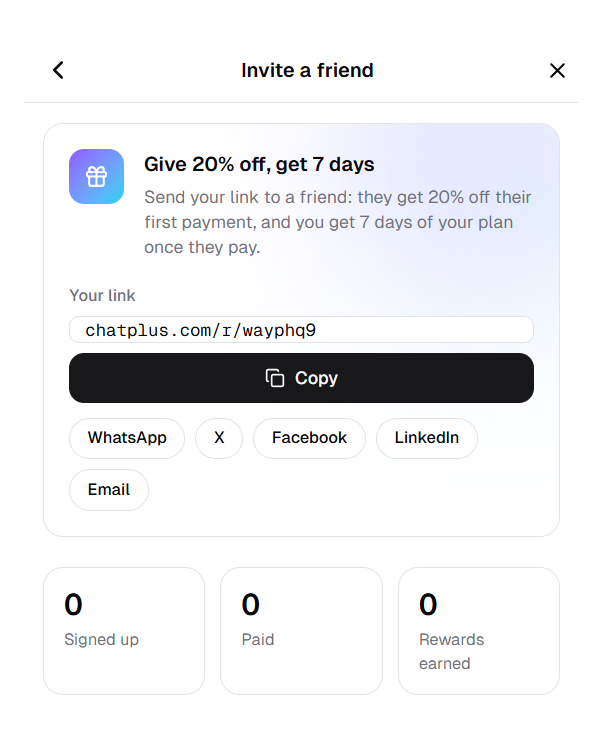
Your link, the buttons to send it and your invite counters.
What your friend sees
In WhatsApp, Facebook, LinkedIn and most other apps, the link opens up into a card that says "A gift from a friend" with a large −20% badge. It stands out in a conversation, and you don't have to explain what the link is or why it's worth a tap.
You choose the card. There are five ready-made ones: a gift, our robot Max, our kitten Muffin, a winter one and a light one. One tap in Settings switches between them, and your link shows the new card right away.
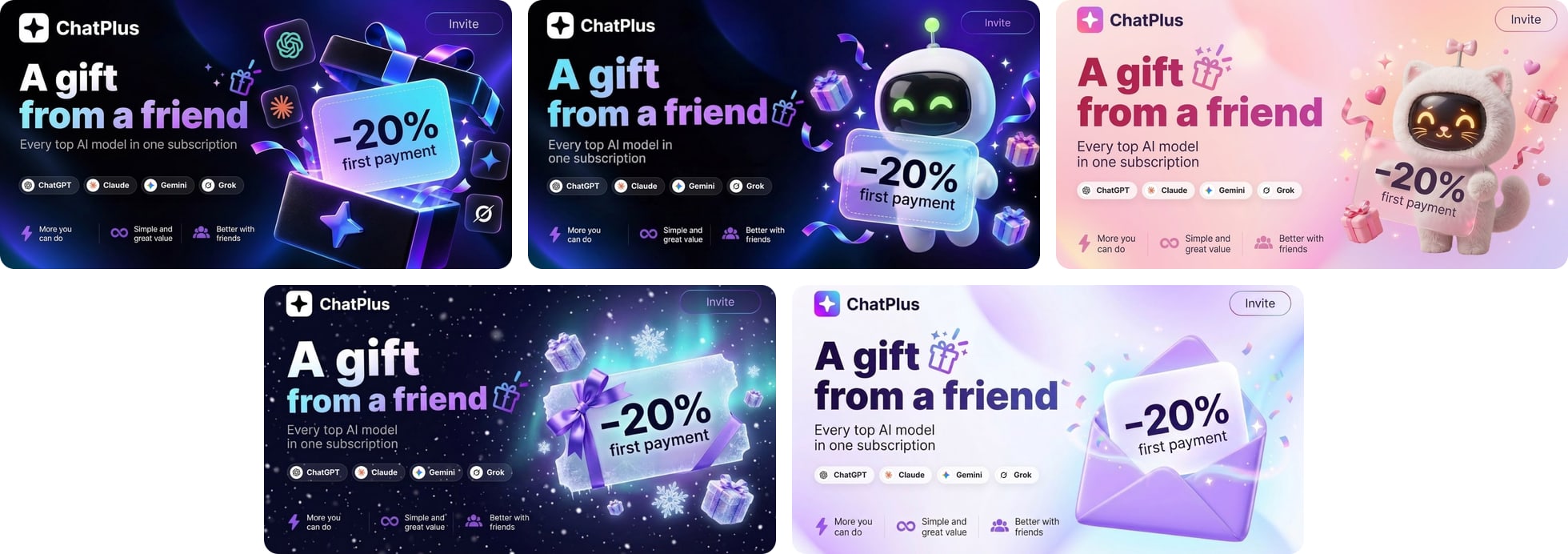
The ready-made cards. None of them shows your name or email.
Your own card
If you'd like something more personal, you can have a card painted. Describe the background in a few words, like "cats in space", "watercolor peonies" or "neon snowflakes", and add a caption if you want, such as "Anna, this one's for you!". In a few seconds AI paints the background, and we add the logo, "A gift from a friend" and the discount on top. That way every card still reads as an invitation, not just a pretty picture.
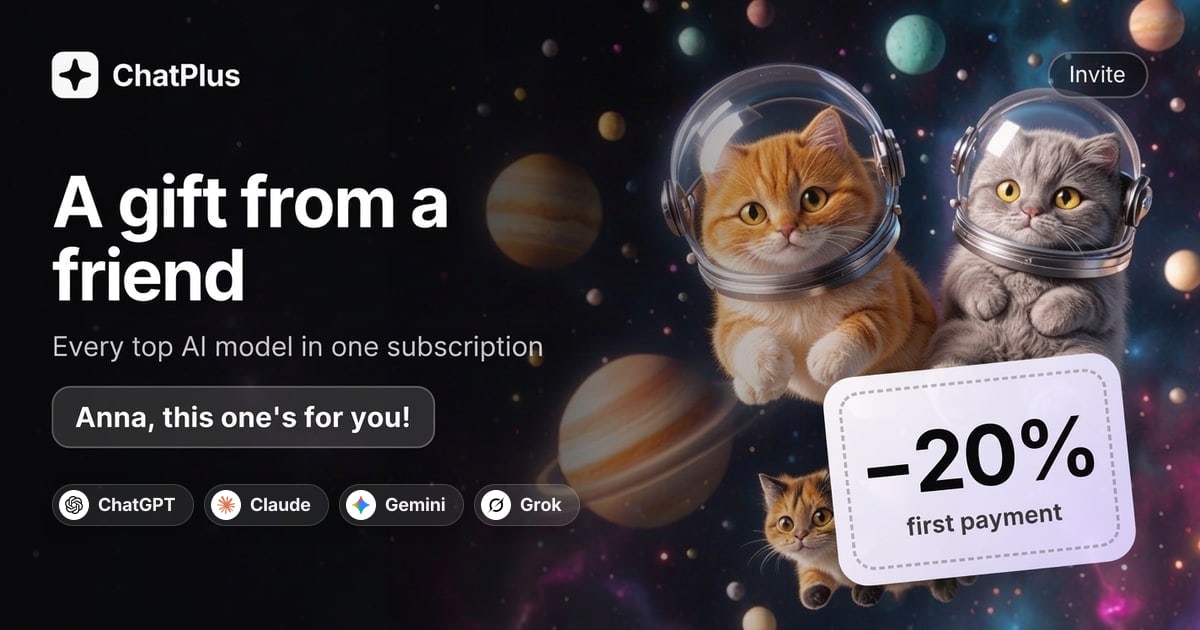
A card painted from "cats in space", with the caption "Anna, this one's for you!".
Captions can't include links, phone numbers or @handles. You can create up to 5 cards a day and up to 20 per 30 days, and an attempt that fails on our side doesn't count. All your cards stay in the same section, so you can switch between them or delete the ones you don't need.
You can download the selected card or share it from your phone as an image together with the link. That way people see it even in apps that don't turn links into previews.
Your friend taps the link, lands on ChatPlus and sees a note: "Your friend gave you 20% off". From there it's the usual sign-up. When they choose a plan, the discount is applied at checkout automatically, with no code to type.
The discount covers the first subscription payment. Renewals after that are at the regular price of the plan.
There's no rush: the browser remembers the invite for 30 days, so your friend can look around first and subscribe later.
When you get your free week
The reward arrives 14 days after your friend's payment. The wait is there because a payment can still be refunded in that time, and a free week for a purchase that was later reversed wouldn't be fair to anyone.
After those two weeks, a week's worth of your plan comes off your next payment. You don't need to do anything; it shows up as a credit on your next invoice.
A few cases work a little differently.
You don't have an active subscription right now. The reward isn't lost. It waits until you start a subscription and then goes towards it.
You invite a lot of people. You can earn up to 10 rewards a month, which is ten weeks of your plan. Anything over that rolls over to the next month.
You can keep track in the same section. Signed up counts the people who created an account with your link, Paid counts those who subscribed, and Rewards earned shows how many free weeks you've received.
When there's no reward
The program is meant for real recommendations, so it has a few limits. They keep it from being gamed and rarely affect anyone who simply tells friends about ChatPlus.
- A second account of your own. Signing up through your own link with another email doesn't earn a reward.
- The same card or the same device. If your friend pays with your card or uses ChatPlus in the same browser as you, the system treats you as one person. Send them the link rather than signing them up on your own phone.
- A refund. If your friend gets their money back within the first 14 days, that payment doesn't earn a reward.
- An existing account. The discount and the reward only work for new accounts. If your friend already has a ChatPlus account, the link won't change anything.
One more detail: the invite is remembered by the browser your friend opened the link in. If they tap it on their phone and later sign up on a laptop, the discount won't carry over. The simplest way is to sign up on the same device where they opened the link.
Who to send it to
An invite works best when it's clear why ChatPlus would help that particular person. A few ideas:
A student. Breaking a tricky topic down step by step, checking an essay for gaps in the argument, practising for an exam. For a student, 20% off makes a real difference.
A colleague who writes a lot. Emails, reports, slide decks, posts. In one chat they can see how GPT, Claude and Gemini handle the same task and keep the best answer, instead of paying for three subscriptions.
Someone who makes content. On ChatPlus, images, video and music are made in the same window as text, so covers, stories and product shots don't need a separate tool each.
Your parents. Help with a child's homework, gift ideas, a weekly meal plan, making sense of a confusing bill. One window with a clear chat is easier to learn than several different apps.
You don't have to send the link to everyone you know. One message to the person who keeps asking which AI you use will do more than a post in a big group chat.
Questions people ask
Can I get the reward as money? No. Rewards come as a week of your plan off your next payment.
How many friends can I invite? As many as you like. The only limit is on rewards: up to 10 a month, and the rest roll over to the next month.
My friend already signed up without the link. Can I add them now? No. Invites only count for accounts created through the link.
Does the discount stack with other promo codes? No. One discount applies to one payment.
In short
Invite a friend is a personal link in your ChatPlus settings. A friend who signs up with it gets 20% off their first subscription payment. Fourteen days after they pay, a week of your plan comes off your next payment. You can earn up to 10 rewards a month, and the rest roll over. Second accounts of your own, the same card, the same device and refunded payments don't count. Your link is waiting in Settings, and the card at the bottom of the sidebar gets you there in one tap.